
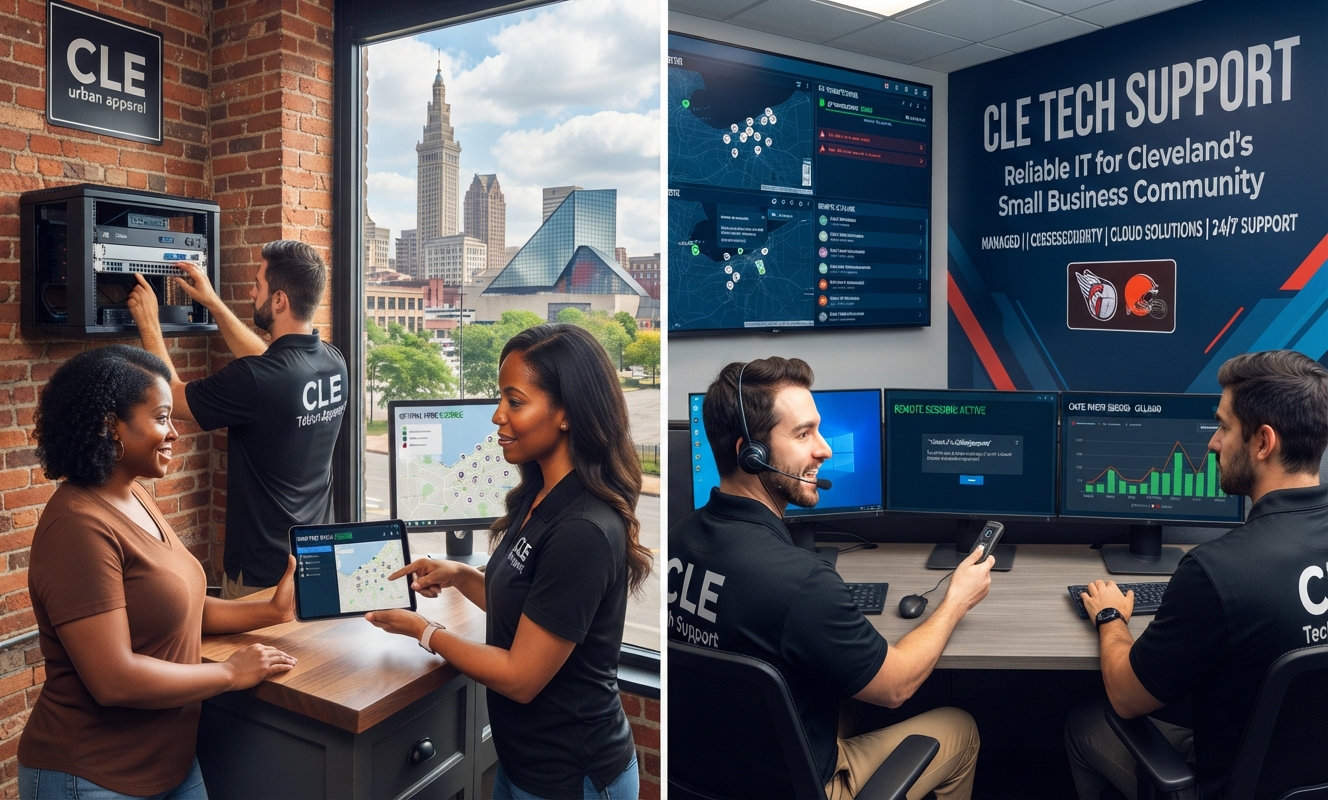
Technology has become an essential part of running a successful small business. Companies depend on computers, internet connections, business applications, cloud storage, and digital communication to manage daily operations. This is why Cleveland small business IT support is important for companies looking to maintain reliable technology and protect valuable business information. Professional IT services help business owners manage computer systems, improve network performance, prevent technical problems, and strengthen cybersecurity.
Whether you operate a retail store, healthcare office, accounting firm, or growing startup, the right IT solution can make everyday business activities more manageable. Choosing a dependable provider also helps ensure that your technology investments support your company’s current operations and future growth.
Why Small Businesses in Cleveland Need Professional IT Support
Small businesses often operate with limited budgets and employees who handle multiple responsibilities. Managing complicated technology problems without professional assistance can waste time and interrupt important activities.
Improving Daily Business Operations and Productivity
Employees use technology to communicate, prepare documents, process payments, and manage customer information. Reliable IT support helps maintain these systems so employees can concentrate on their regular responsibilities instead of repeatedly troubleshooting technical problems.
Protecting Business Data and Customer Information
Customer records, financial documents, employee information, and business files require appropriate protection. IT professionals can help implement strong passwords, multi-factor authentication, encryption, access restrictions, and secure backup systems.
Preventing Technical Issues and Unexpected Downtime
Computer failures, network interruptions, and software errors can affect business operations. Regular maintenance and system monitoring help identify certain problems before they cause significant disruption.
Supporting Long-Term Business Growth
Growing companies may need additional computers, cloud applications, employee accounts, and network capacity. Professional IT support helps businesses plan technology upgrades and select solutions that can accommodate changing requirements.
Common IT Challenges Faced by Cleveland Small Businesses
Understanding common technology problems makes Cleveland small business IT support easier to identify which IT services a business actually needs.
Network Connectivity and Computer Problems
Slow internet, unreliable Wi-Fi, printer errors, and computer performance problems can interrupt everyday work. Professional technicians can inspect network equipment, troubleshoot connections, and recommend appropriate improvements.
Cybersecurity Threats and Data Breaches
Phishing emails, ransomware, malicious software, and stolen passwords can expose business information. Small companies should use security measures such as updated software, multi-factor authentication, employee training, and restricted account permissions.
Software Updates and Technology Maintenance
Outdated applications and operating systems may contain security weaknesses or compatibility problems. An IT provider can organize updates, monitor equipment, and maintain business software according to an appropriate schedule.
Data Backup and Disaster Recovery
Hardware failure, accidental deletion, and cyberattacks can make important files unavailable. Businesses should maintain regular backups, protect backup copies, and test recovery procedures to ensure important information can be restored.
Types of IT Support Services Available for Small Businesses
Different companies require different levels of technical assistance. Understanding available services helps business owners choose an appropriate support package.
Managed IT Services and Proactive Monitoring
Managed IT services allow businesses to outsource technology management to an external provider. Services may include computer monitoring, network maintenance, software updates, cybersecurity management, and help desk assistance.
Remote and On-Site Technical Support
Remote support allows technicians to troubleshoot certain problems through secure connections without visiting the office. On-site support is useful when equipment installation, hardware replacement, or physical network inspection is necessary.
Cloud Computing and Microsoft 365 Solutions
Cloud services allow employees to access business applications, documents, and collaboration tools through the internet. Microsoft 365 can support business email, document management, online meetings, and teamwork. IT professionals can assist with account configuration, security settings, and cloud administration.
Network Setup and Management
Network services include router configuration, firewall installation, wireless connectivity, network troubleshooting, and access management. A properly configured network helps employees connect to business systems securely.
Cybersecurity and Data Protection Services
Cybersecurity services help protect computers, networks, and sensitive information. Common solutions include endpoint protection, email security, multi-factor authentication, vulnerability assessments, and incident response planning.
How to Choose the Best Cleveland Small Business IT Support Provider
Selecting an IT company requires careful evaluation. Business owners should compare technical experience, service quality, security practices, and pricing before making a commitment.
Evaluate Experience and Technical Expertise
Look for providers with experience supporting businesses similar to yours. Ask about their technical qualifications, supported software, cybersecurity knowledge, and experience managing business networks.
Check Customer Reviews and Business Reputation
Read customer feedback across different review platforms. Pay attention to communication, response times, problem resolution, and customer satisfaction. References from existing business clients can provide additional insight.
Compare IT Support Plans and Pricing
Compare the services included in each package rather than focusing only on the advertised monthly fee. Check whether monitoring, cybersecurity, backup management, software updates, and emergency assistance are included or charged separately.
Understand Response Times and Service Availability
Ask how quickly the provider responds to urgent and routine requests. Check its business hours, emergency support arrangements, and on-site availability. Remember that response time and actual problem-resolution time are different.
Review Security Policies and Service Agreements
Before signing, understand how the provider protects business information, manages administrator accounts, and handles security incidents. The agreement should clearly explain responsibilities, data ownership, confidentiality, service exclusions, and cancellation procedures.
Managed IT Services vs. In-House IT Support for Small Businesses
Businesses can manage their technology internally or outsource responsibilities to an external provider. Both approaches have advantages.
Benefits of Outsourcing IT Support
Outsourcing provides access to external technical specialists without requiring a complete internal IT department. It can be suitable for small businesses that need ongoing assistance but cannot justify hiring several full-time technicians.
Advantages of Hiring an In-House IT Team
An internal IT employee can become familiar with company systems, employees, and daily operations. This approach may be appropriate for businesses with complex technology requirements or frequent technical requests.
Which IT Support Model Is Right for Your Business?
The best option depends on budget, business size, and technical complexity. Some companies benefit from outsourcing, while others need internal employees. A hybrid arrangement can also work, with an internal coordinator managing an external IT provider.
How Much Does Small Business IT Support Cost in Cleveland?
IT support pricing varies according to business requirements. The number of employees, devices, locations, security services, and support hours can all influence the final cost.
Factors That Affect IT Support Pricing
Important pricing factors include the number of computers, network equipment, servers, software subscriptions, cybersecurity requirements, and backup storage. Businesses requiring emergency assistance or multiple office locations may also need additional services.
Monthly Managed IT Plans vs. Hourly Support
Monthly managed IT plans provide ongoing services for a recurring fee. Hourly support charges businesses for individual technical tasks or troubleshooting sessions.
Companies with regular technology requirements may prefer monthly arrangements, while businesses with occasional technical problems may consider pay-as-needed support.
Creating an IT Budget for Your Business
An effective technology budget should include IT support, software licenses, computer replacements, cybersecurity tools, cloud storage, and backup services. Planning these expenses helps prevent unexpected technology costs.
Essential Features of a Reliable Small Business IT Support Company
A dependable provider should offer more than basic computer repairs. Its services should address security, maintenance, data protection, and future technology requirements.
24/7 Monitoring and Technical Assistance
Continuous system monitoring can help identify certain technical problems and security alerts outside normal business hours. However, businesses should confirm whether 24/7 monitoring also includes access to live technicians.
Reliable Data Backup and Recovery
A reliable provider should explain backup frequency, storage locations, retention periods, and recovery procedures. Regular recovery testing is important because creating a backup does not automatically guarantee successful restoration.
Advanced Cybersecurity Protection
Look for appropriate security measures such as endpoint protection, firewall management, email filtering, multi-factor authentication, and security monitoring. Employee awareness training should also be part of the company’s security strategy.
Scalable Technology Solutions
A good IT solution should accommodate additional employees, computers, applications, and business locations. Scalable services help companies expand without unnecessarily replacing their entire technology infrastructure.
Regular Maintenance and System Updates
Routine maintenance helps keep business equipment and applications updated. Ask how the provider manages security patches, equipment checks, software updates, and maintenance reports.
Benefits of Hiring a Local IT Support Company in Cleveland
A local provider can offer practical advantages when a business requires in-person technical assistance or ongoing technology guidance.
Faster On-Site Technical Assistance
A provider serving the Cleveland area may be able to arrange an office visit when remote troubleshooting is insufficient. However, always confirm its actual service area and guaranteed response arrangements.
Personalized Technology Recommendations
A provider familiar with your business environment can recommend equipment, software, and security improvements based on actual operational requirements.
Understanding Local Business Requirements
Cleveland businesses operate across industries such as retail, healthcare, manufacturing, and professional services. An experienced local provider may understand the different technology requirements associated with these industries.
Building Long-Term IT Support Partnerships
A long-term relationship helps an IT provider understand your systems, recurring problems, and future plans. Regular communication and performance reviews can make technology management more organized.
IT Support Solutions for Different Types of Small Businesses
Technology requirements depend on the industry, business size, and information being managed.
IT Support for Retail Stores and Local Businesses
Retail businesses depend on point-of-sale systems, payment terminals, inventory software, and internet connectivity. IT support can help maintain these systems, secure business networks, and reduce avoidable interruptions.
Technology Solutions for Healthcare Offices
Healthcare offices require secure systems for patient records, appointments, and billing information. Organizations subject to HIPAA must consider the Security Rule’s requirements for protecting electronic protected health information. Appropriate access controls, risk assessments, backups, and security safeguards are important considerations.
IT Services for Startups and Growing Companies
Startups often need affordable technology that can expand as their operations develop. Cloud applications, business email, collaboration tools, and managed IT services can help establish an organized technology environment.
IT Support for Professional and Financial Services
Accounting firms, law offices, and financial service businesses frequently manage confidential client information. They may benefit from secure document sharing, reliable backups, restricted access, and strong email protection.
Common Mistakes to Avoid When Choosing an IT Support Provider
Selecting the wrong provider can create unnecessary expenses and leave important technology problems unresolved.
Choosing a Provider Based Only on Low Pricing
A cheap package may exclude important services such as cybersecurity monitoring, backup management, or emergency assistance. Compare the complete service coverage before making a decision.
Ignoring Cybersecurity and Data Protection
Basic computer troubleshooting is not a complete cybersecurity strategy. Make sure the provider can explain how it protects accounts, devices, networks, and business information.
Overlooking Service Agreements and Hidden Fees
Read the agreement carefully. Check onboarding charges, cancellation conditions, renewal terms, additional service fees, and responsibilities for maintaining business data.
Failing to Consider Future Business Needs
Your company’s technology requirements may change as Cleveland small business IT support grows. Discuss future employees, additional equipment, remote access, and software requirements before selecting a provider.
Read more: Latest Tech Info at BeaconSoft: Exploring the World of Modern Technology
Steps to Get Started With the Right IT Support Provider
A structured selection process can help business owners find a suitable technology partner.
Identify Your Business Technology Needs
Prepare a list of your computers, software, network equipment, cloud applications, and recurring technical problems. Identify which systems are essential for daily operations.
Request an IT Assessment
Ask potential providers to review your existing technology. An assessment may identify outdated equipment, security weaknesses, network problems, and backup issues.
Compare Service Packages and Proposals
Request written proposals from multiple companies. Compare their services, pricing, security arrangements, response commitments, and support availability.
Review the Contract Before Making a Decision
Understand the complete agreement, including payment terms, service responsibilities, data ownership, security requirements, and termination procedures. Seek professional advice when necessary.
Monitor Service Quality and Business Performance
After choosing a provider, review response times, recurring problems, backup testing, and customer service. Regular performance reviews help ensure that the arrangement continues meeting business needs.
Final Thoughts
Technology plays an important role in business productivity, customer service, and information security. For small companies, choosing the right IT support arrangement can make technology easier to manage while reducing avoidable disruptions.
The best Cleveland small business IT support provider is not necessarily the cheapest company or the one offering the largest package. It is the provider that understands your business requirements, communicates clearly, protects important information, and offers dependable technical assistance.
FAQs About Cleveland Small Business IT Support
1. What Is Cleveland Small Business IT Support?
It refers to technology services that help small companies in Cleveland, Ohio, maintain computers, networks, software, cybersecurity, cloud applications, and business data.
2. How Much Does IT Support Cost for a Small Business in Cleveland?
The cost depends on the number of users, devices, locations, required security services, and support arrangements. Providers may charge monthly fees, hourly rates, or customized service packages.
3. What IT Services Do Small Businesses Need Most?
Commonly important services include computer maintenance, network management, cybersecurity, secure business email, software updates, data backups, and technical troubleshooting.
4. Is Managed IT Support Better Than Hiring an In-House IT Team?
Managed IT support can provide access to external technical expertise without maintaining a complete internal department. In-house employees offer direct involvement in daily operations.
5. How Do I Find a Reliable Small Business IT Support Company in Cleveland?
Research providers serving Cleveland, examine customer reviews, evaluate technical experience, and compare service agreements. Ask about cybersecurity, backup management, response times, and pricing before choosing a company.
